

So, how do you take notes in Gluey?
Introducing Note Cards: Transform the way you take notes. With #hashtags integration, interactive discussions, and voting features, collaboration has never been this seamless. Step up your productivity game today.
Bartender's library
A bartender has built their cocktail recipe hub, so that they can find recipe made with a particular spirits. Or a specific difficulty recipe to make. Or really with any hashtags. Cheers to that.

Property portfolio
Property managers can quickly locate notes about their different clients. As well as capturing notes regarding their goal, budget and staff.

Personal Life Wiki
Keep track of your life with this workspace. By using hashtags, no information is too small to take note of. Just capture the info and file away!

Mood tracker
Use Gluey as a journal and keep track of your moods by mood categories, activities, and time.

Job Interview Prep
Documenting your professional journey not only helps you remember important details but also equips you with the confidence and clarity needed to ace your next job interview.
Being a great note-taker will change the way you work. Be more organized, focused, and productive.
Instead of a long document, use our Note Cards to keep info short sections so you can precisely retrieve the information.
Teams will benefit even more from Gluey by improving the team's shared knowledge, transparceny, accountability, and focus.
Note Cards
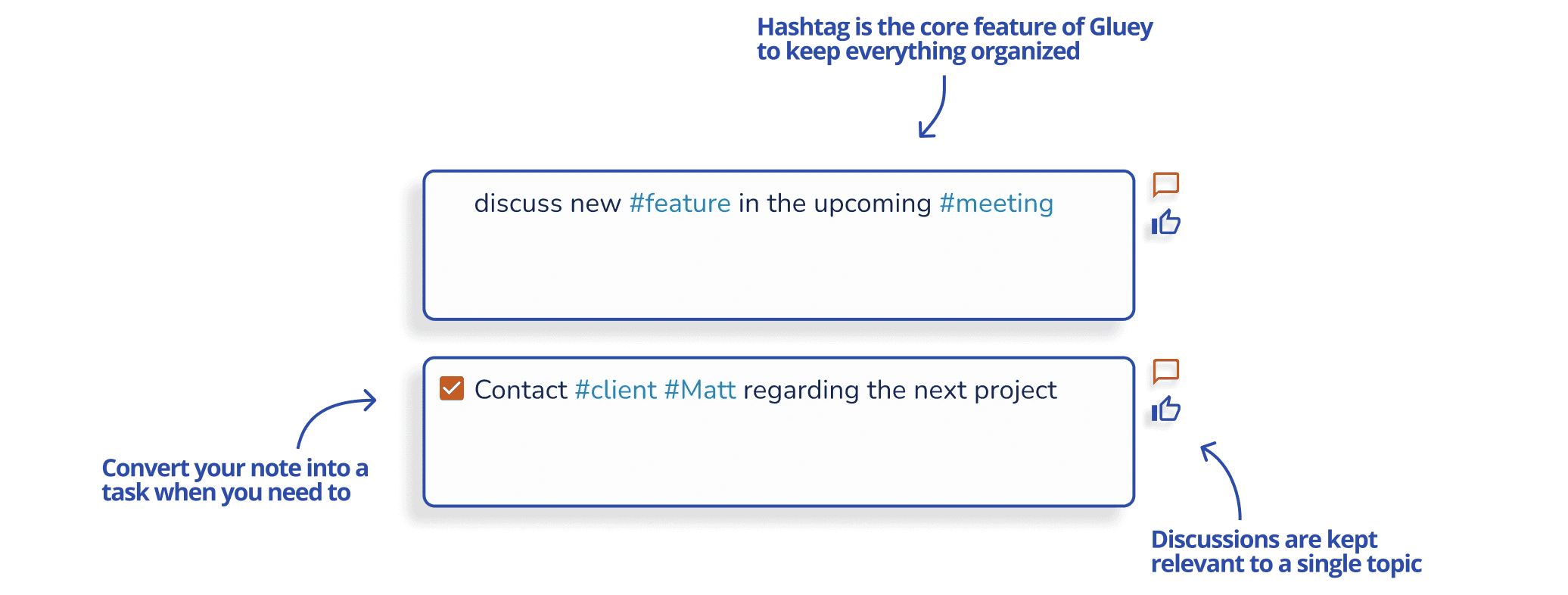
Convert your notes into a task
Quick split to a new note allowing focus on topic
Keep your notes short and concise
Auto detects texts into categories
Customized Views
Group your notes by category and date in the meeting view
Communicate around specific pieces of information
Precisely locate the notes you are looking for
Category filter that allows flexible aggregation
Naturally organized
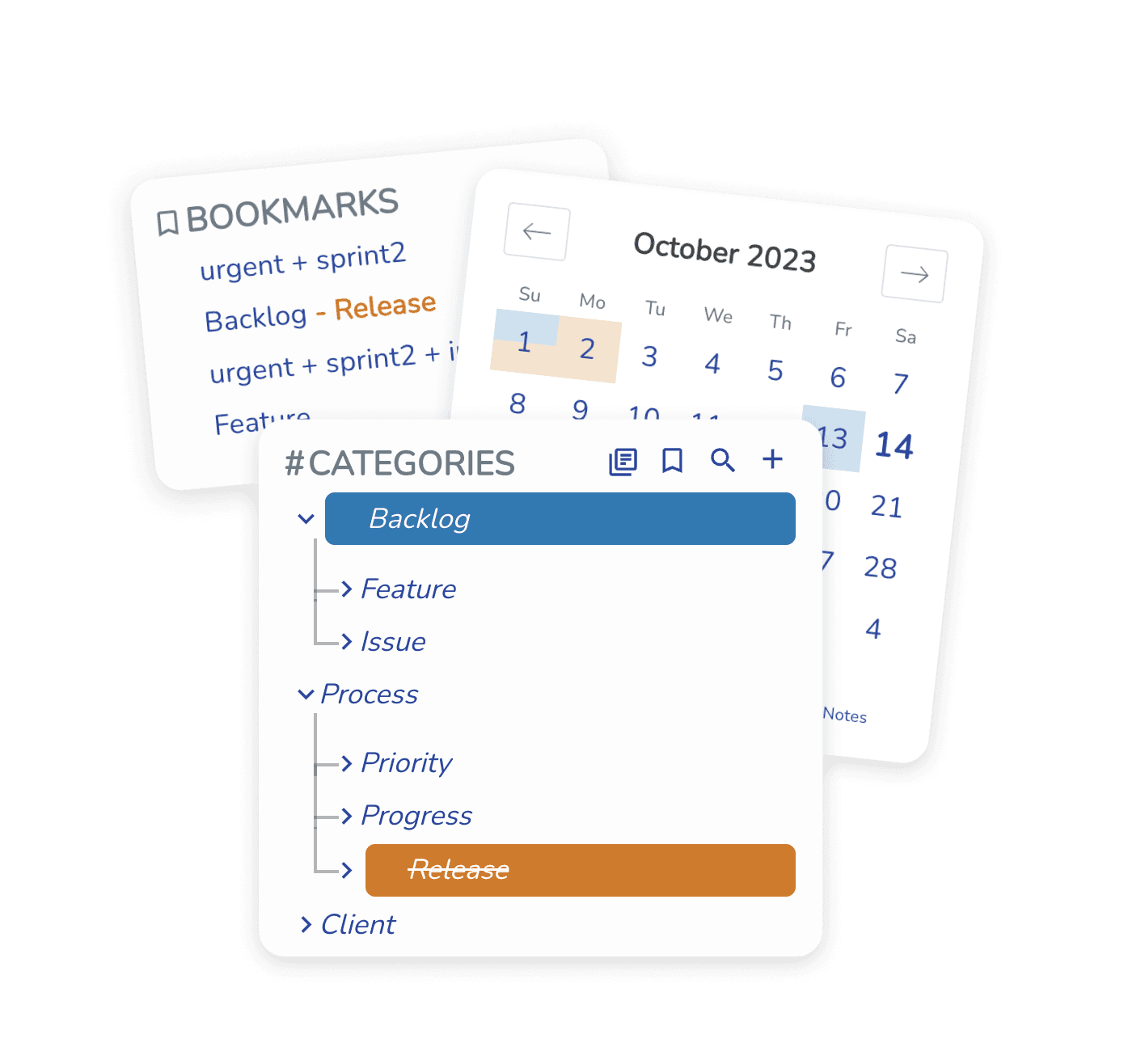
Tired of sorting notes into folders? Just use hashtags, and notes will be arranged by their hashtag, supporting multiple hashtags
Write together,
in real time
Collaboration starts with just a link
Find the exact notes you need,
in a flash
Precisely retrieve the right notes
with Tag Combinations
Discussions stay relevant
Dedicated chat and voting feature for each note card

Not your average tags
Tag your notes as you type. Keep your notes precisely organized, so nothing falls through the cracks.

Team collaboration
Your team link (or team ID) is all your team members need to get started. Invite your team members to make notes, comments and vote on ideas together.
Intuitive tag management
Intuitive drag and drop to rearrange, sort or create parenting tags.

Quickly access all of your tags
Type # to call out your lists of tags
Projects
Priorities
meetingNotes
#hashTag
More features coming soon!
We are updating Gluey regularly, join our Discord community to share your thoughts and feedback.
See all features (coming soon)